Bring in any video
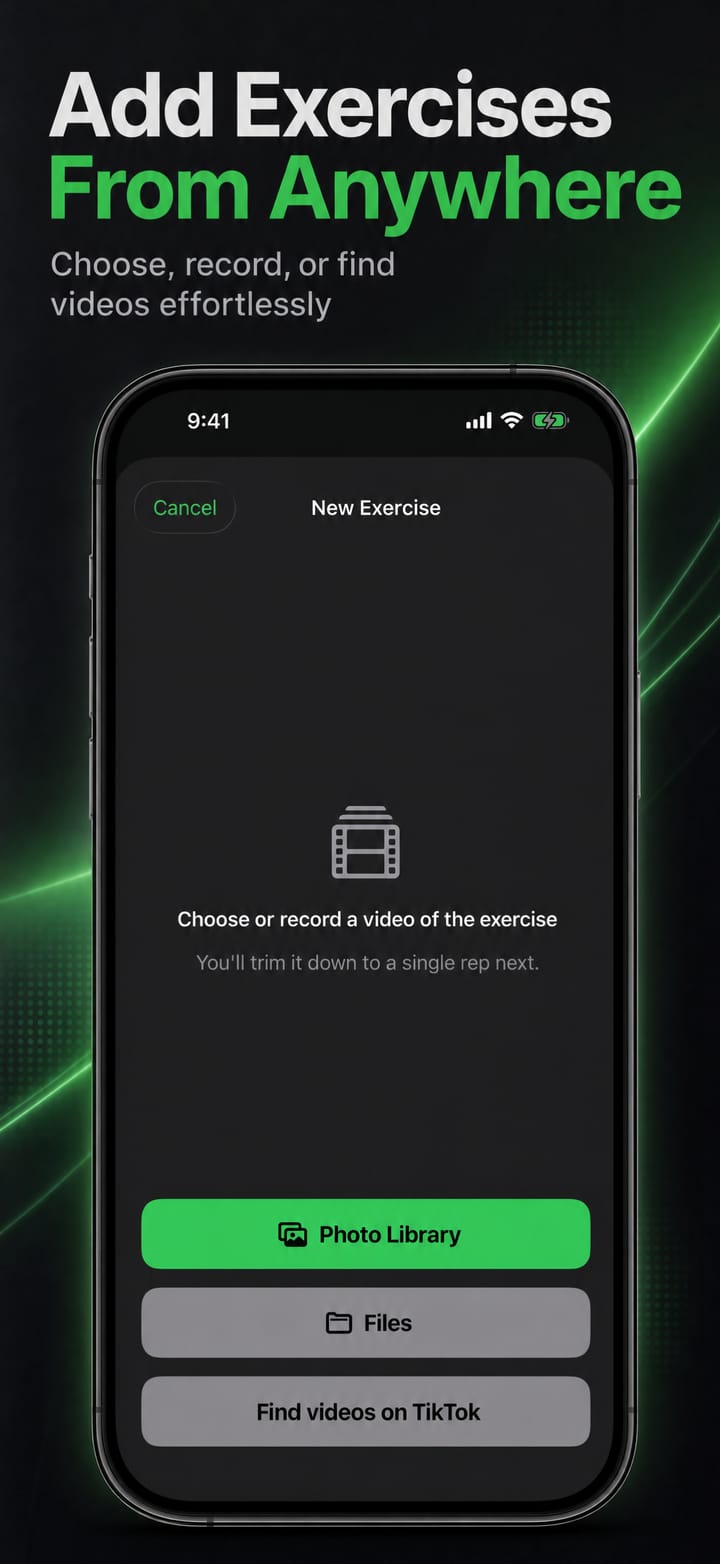
Choose a video from Photos or Files, share one in from another app, or find one on TikTok with suggested exercise hashtags.
 Telepromptme
 Autoprompt
 DualScroll
 Narrate
 Lightboard ProOnline teleprompterFree, basic web version
 Earwig
 ChatterFish
 PointyPointer
 PaceRep
 intunerFitness
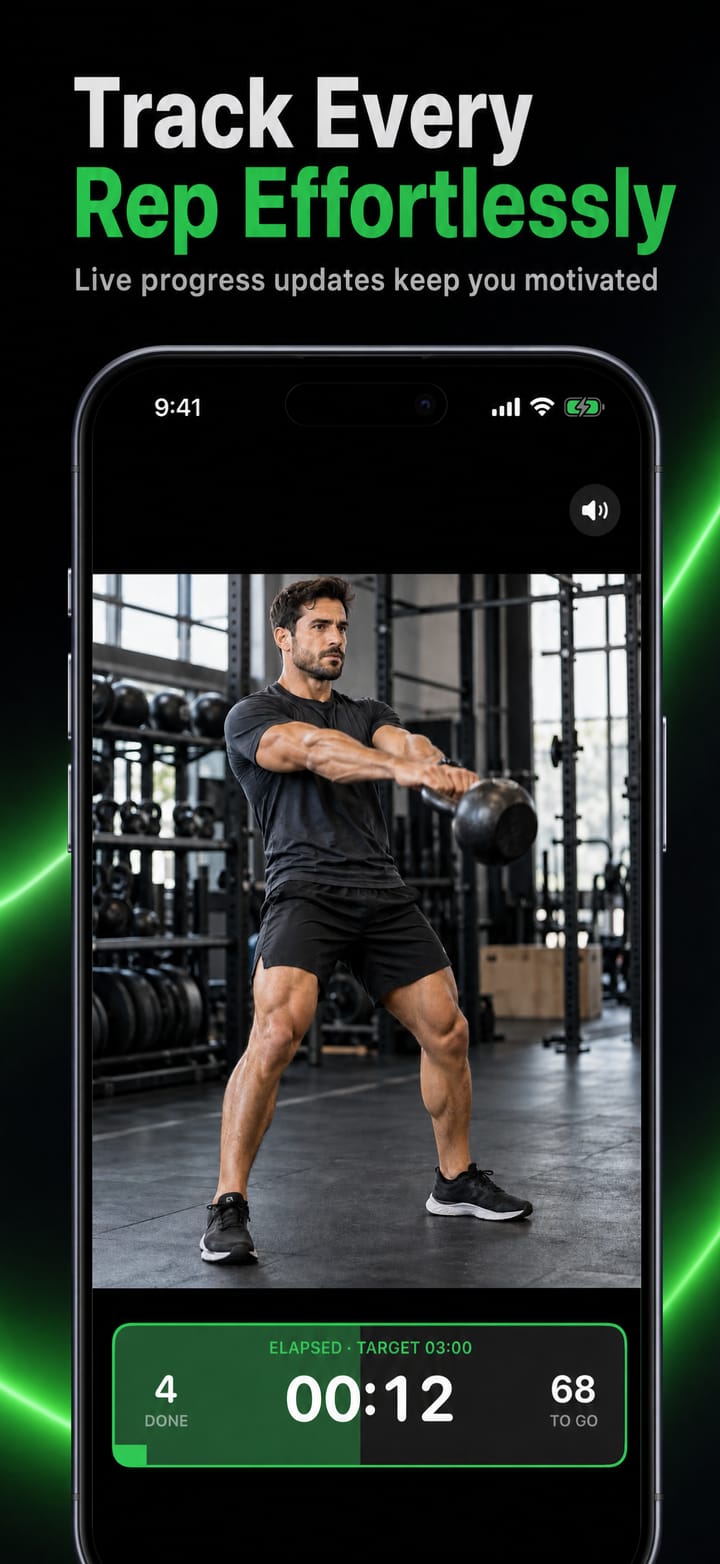
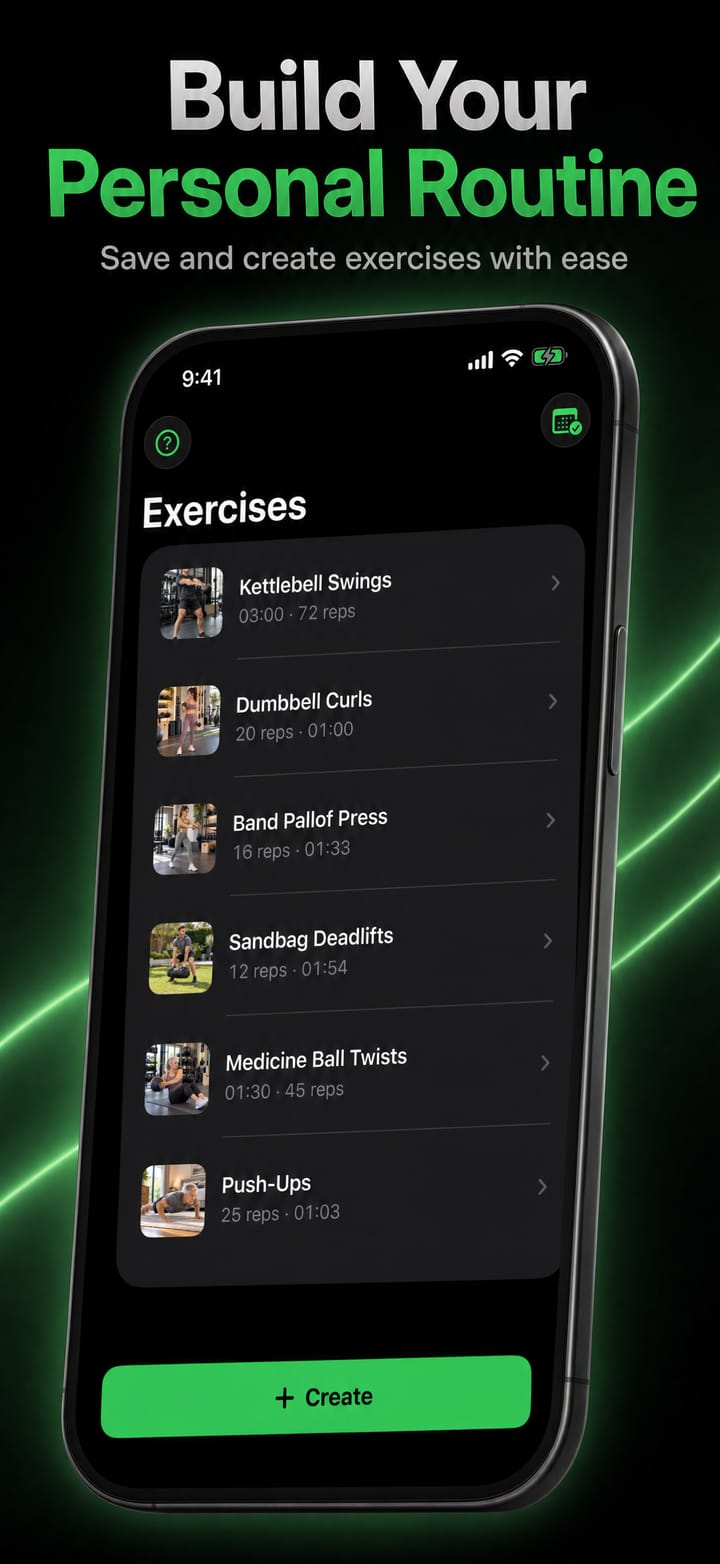
Add a video of an exercise and trim it to a single rep. PaceRep plays that rep over and over at the video's pace, counting your reps and your time until you reach your target. Prop up your iPhone or iPad, or open it on a big screen, and train along.
PaceRep is focused, fast and refined, built to do one job beautifully.
Choose a video from Photos or Files, share one in from another app, or find one on TikTok with suggested exercise hashtags.
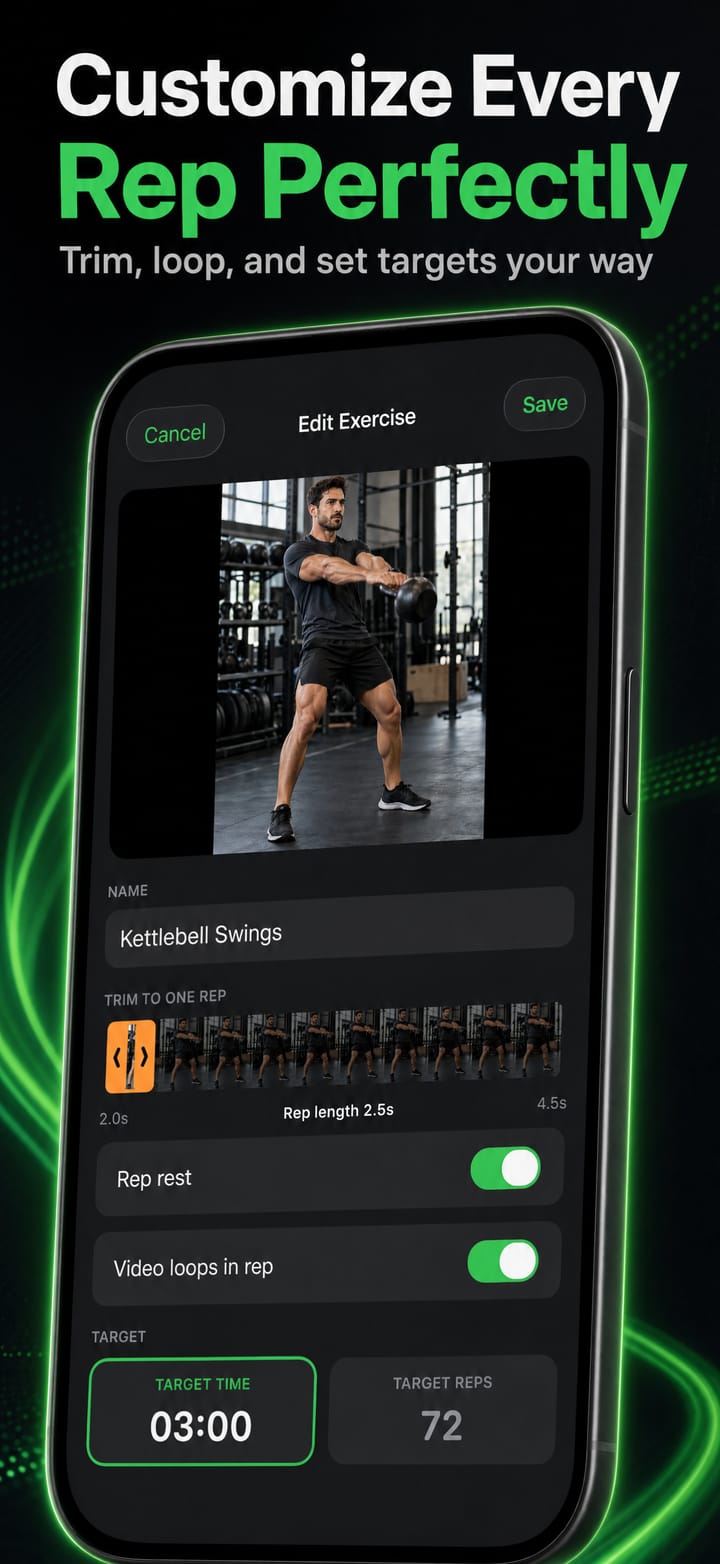
Set a time or a number of reps, and PaceRep works out the other from the rep length and rests.
Film your own exercise with zoom, lens switching, focus and exposure lock, HD or 4K, 30 or 60 fps.
Drag the trim handles so the clip covers exactly one rep, for a smooth, endless loop. Crop away captions and icons.
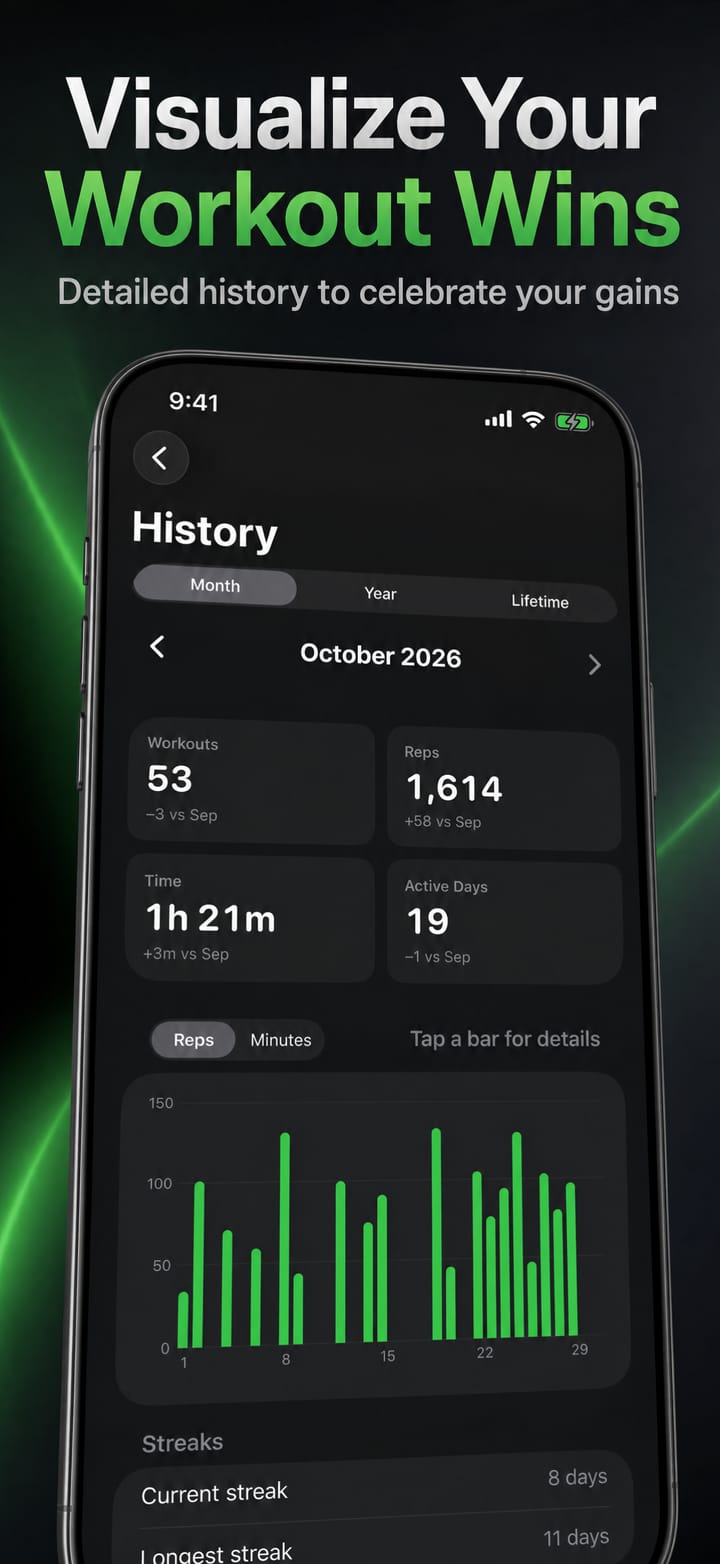
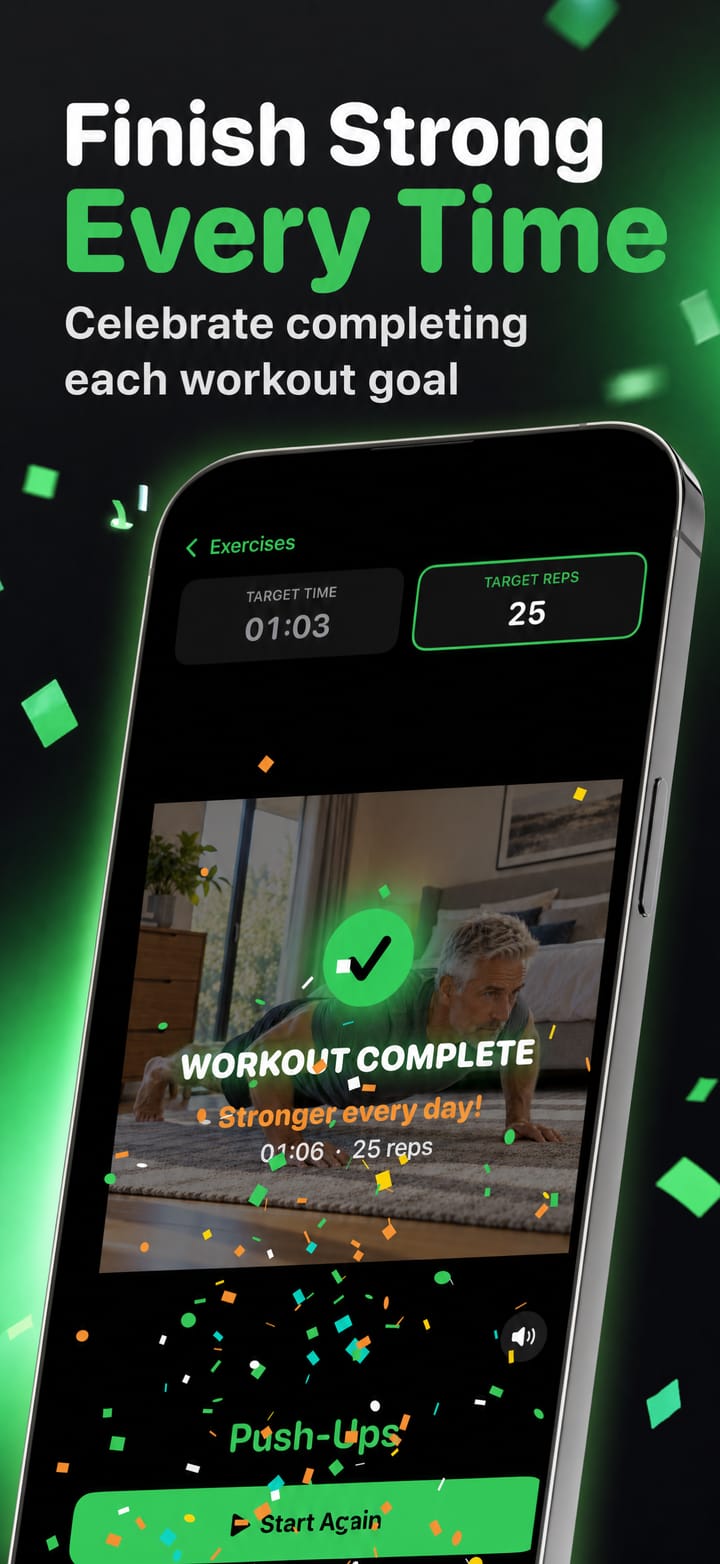
A history of every workout, with streaks, bests and totals by month, year and lifetime, and a celebration every time you finish.
A large timer and rep counter with a progress bar for every rep. Flick it to the top or bottom of the video.
Add rest between reps, shown as a countdown, or loop a short clip several times to make up one rep.
Your videos stay on your device: no account, no sign-up.
Choose a video from Photos or Files, share one in from another app, or find one on TikTok with suggested exercise hashtags.
Set a time or a number of reps, and PaceRep works out the other from the rep length and rests.
Film your own exercise with zoom, lens switching, focus and exposure lock, HD or 4K, 30 or 60 fps.
Drag the trim handles so the clip covers exactly one rep, for a smooth, endless loop. Crop away captions and icons.
A history of every workout, with streaks, bests and totals by month, year and lifetime, and a celebration every time you finish.
Recorded right inside the app, on iPhone, iPad and Mac.
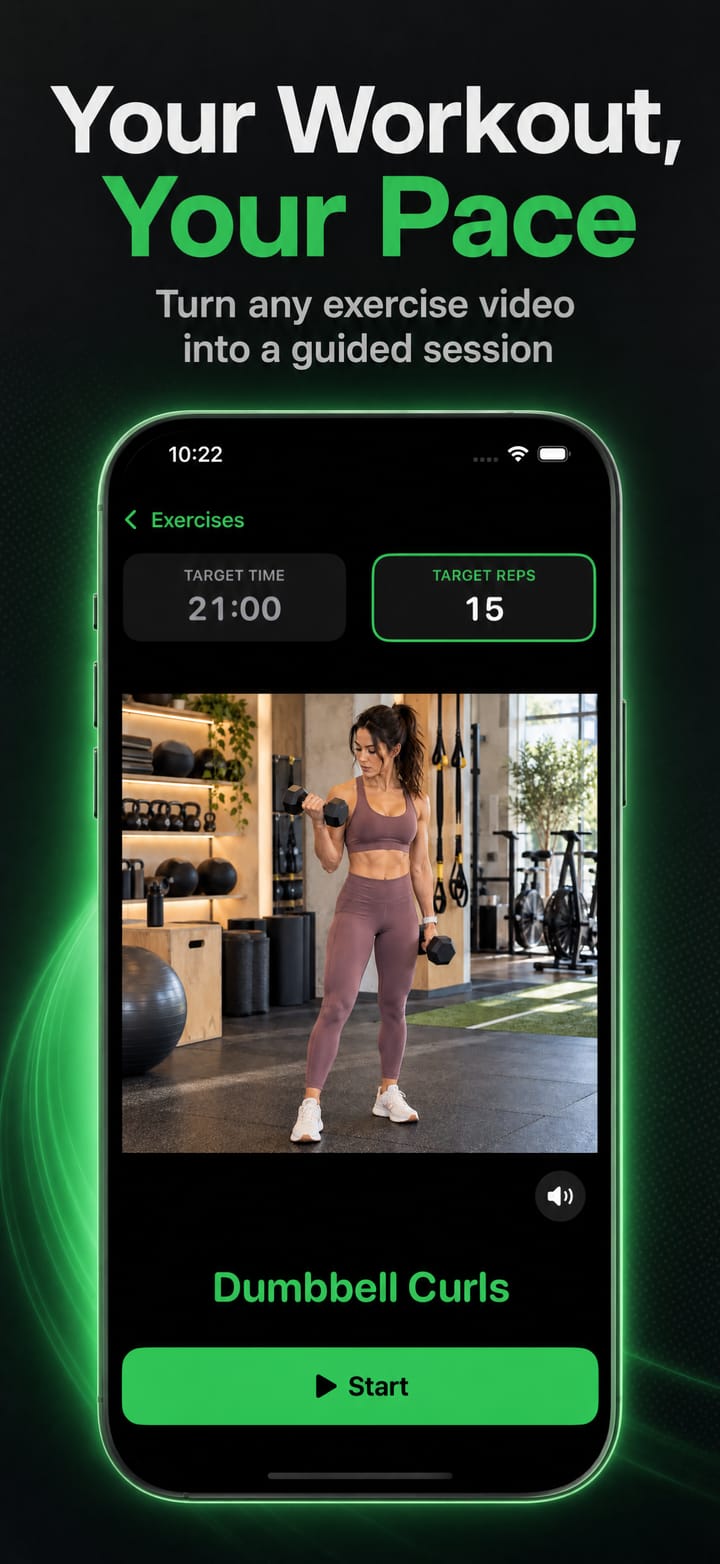
One purchase covers both iOS and macOS. No account required.
Everything, for one exercise.
Add as many exercises as you like.
Download it on the App Store and start in minutes, on iPhone, iPad and Mac.