






Live TranslationEarwig app icon

Subtitle and translate anything you hear.

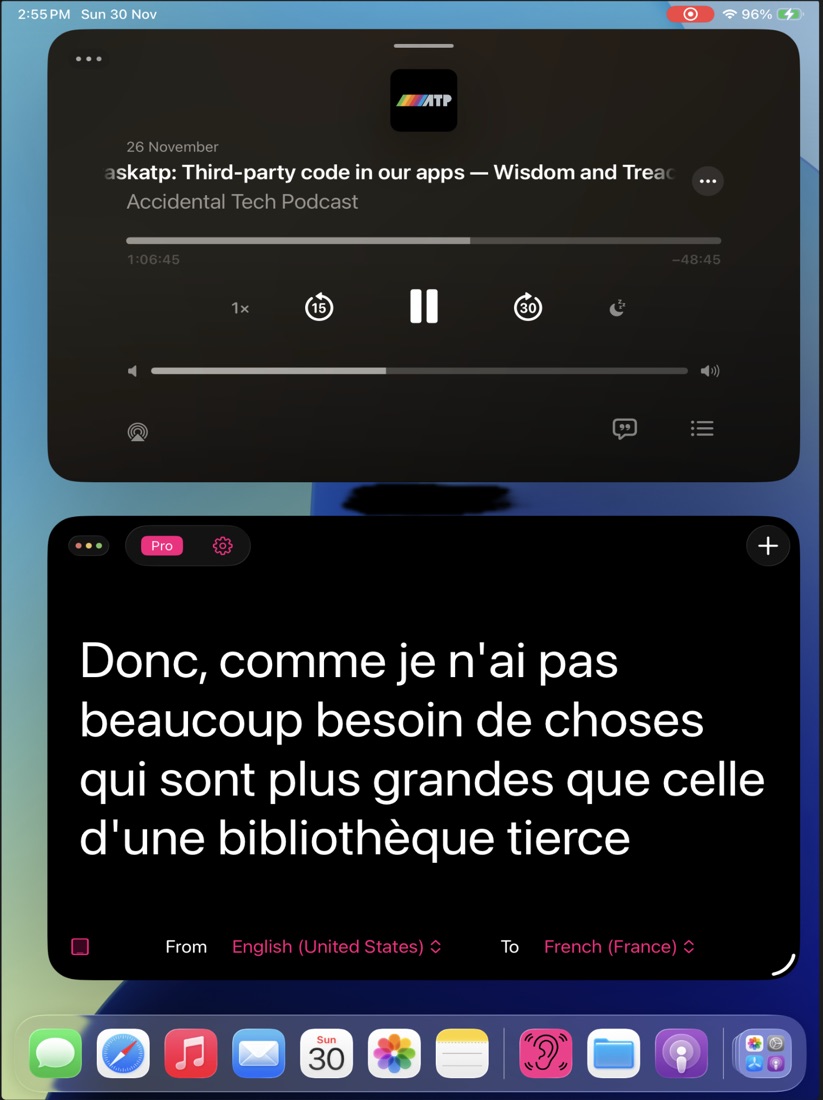
Earwig listens to audio from any app on your device and turns it into live subtitles — then translates them on the fly. Follow a foreign-language video, meeting or podcast with clear captions in the language you understand.

iOSmacOSUniversal purchase
Earwig screenshot
Real-time subtitlesTranslate any app's audioOn-device AI
Features

Everything you need, nothing you don't.

Earwig is focused, fast and refined — built to do one job beautifully.

Live subtitle generation

AI speech recognition turns spoken audio into clean, real-time captions.

On-the-fly translation

Translate what you hear into the language you read, as it happens.

Audio from any app

Capture and subtitle audio playing in any app on your device.

Many languages

Recognise and translate across a wide range of supported languages.

AI speech recognition

Fast, accurate transcription powered by modern on-device models.

Simple by design

Open it, point it at your audio, and read. No setup, no fuss.

A window per language

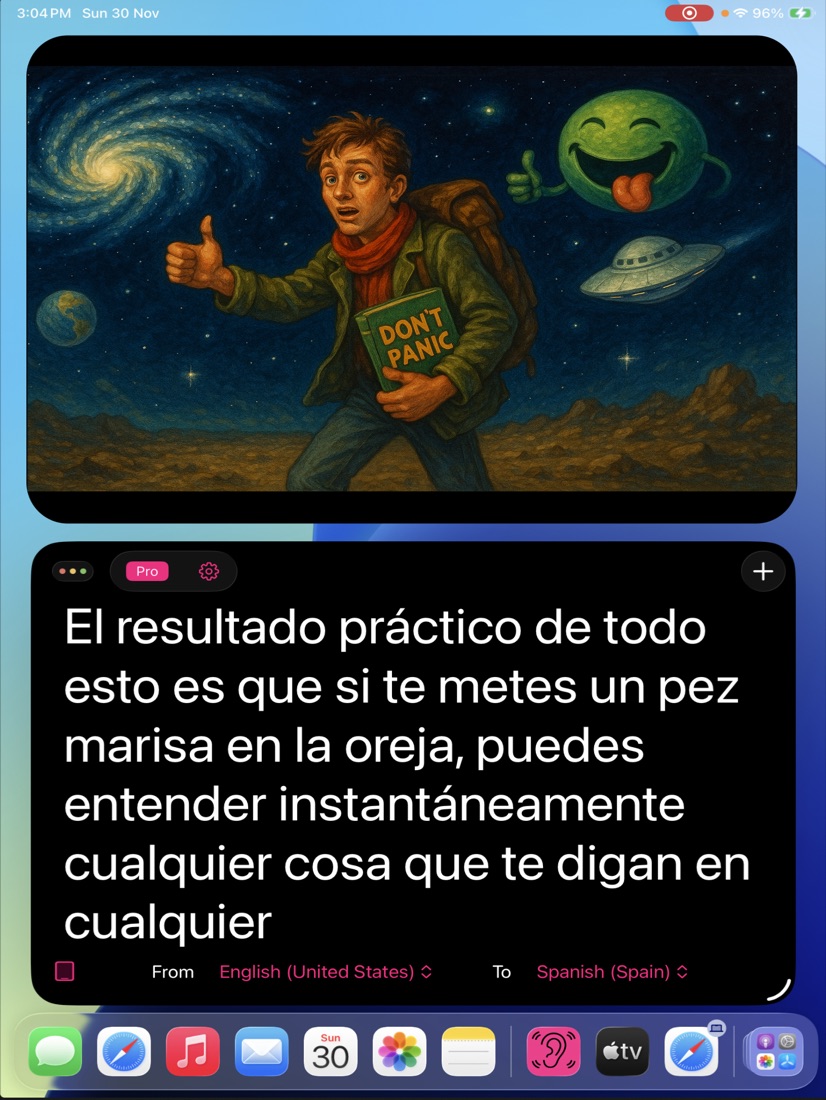
On iPad and Mac, float several subtitle panels at once — one language each, side by side.

Style your captions

Dial in font size, text colour and background transparency until subtitles feel built right in.

Live subtitle generation

Subtitle generator & translator.

AI speech recognition turns spoken audio into clean, real-time captions.

  • On-the-fly translation

    Translate what you hear into the language you read, as it happens.

  • Audio from any app

    Capture and subtitle audio playing in any app on your device.

  • Many languages

    Recognise and translate across a wide range of supported languages.

  • AI speech recognition

    Fast, accurate transcription powered by modern on-device models.

Live subtitle generation

Earwig
Real-time subtitles98%
Translate any app's audio4K
On-device AISynced
See it in action

Earwig up close.

Real moments from Earwig, captured on device.
Pricing

Try it free. Upgrade when you're ready.

One purchase covers both iOS and macOS. No account required.

Trial
Free

Try the full translator, free.

  • Full-featured
  • Subtitle & translate
  • Up to 60 seconds per session
Try it free
Questions

Good to know

Which apps does Earwig support for creating subtitles for the audio?
All apps on your device. Earwig listens to the audio that is generated from any app on your device, and translates that.
Why does Earwig ask for screen capture permissions?
The way Earwig listens to audio from your device is to capture it from screen capture. Audio is the only thing processed by the capture, your screen data is not captured.
Does my audio get sent to the internet for processing?
No, processing occurs on your device.
What functionality does the trial version have?
The trial version has all the functionality of the pro app except you will only get 60seconds of translation.
What languages does Earwig support?
Arabic, German, English, Spanish, French, Hindi, Indonesian, Italian, Japanese, Korean, Dutch, Polish, Portuguese, Russian, Thai, Turkish, Ukrainian, Vietnamese, Chinese.
I have the trial, how to I upgrade?
Go to 'Settings' and you will see instructions there.
Get started

Ready to try Earwig?

Download it on the App Store and start in minutes — on iPhone, iPad and Mac.